
[Action Required] Configuring Important Notification Settings
This setting ensures you receive important email notifications from our Support Team, including system outages, version updates, and maintenance announcements. Please be sure to complete this setup.
[Contents ]
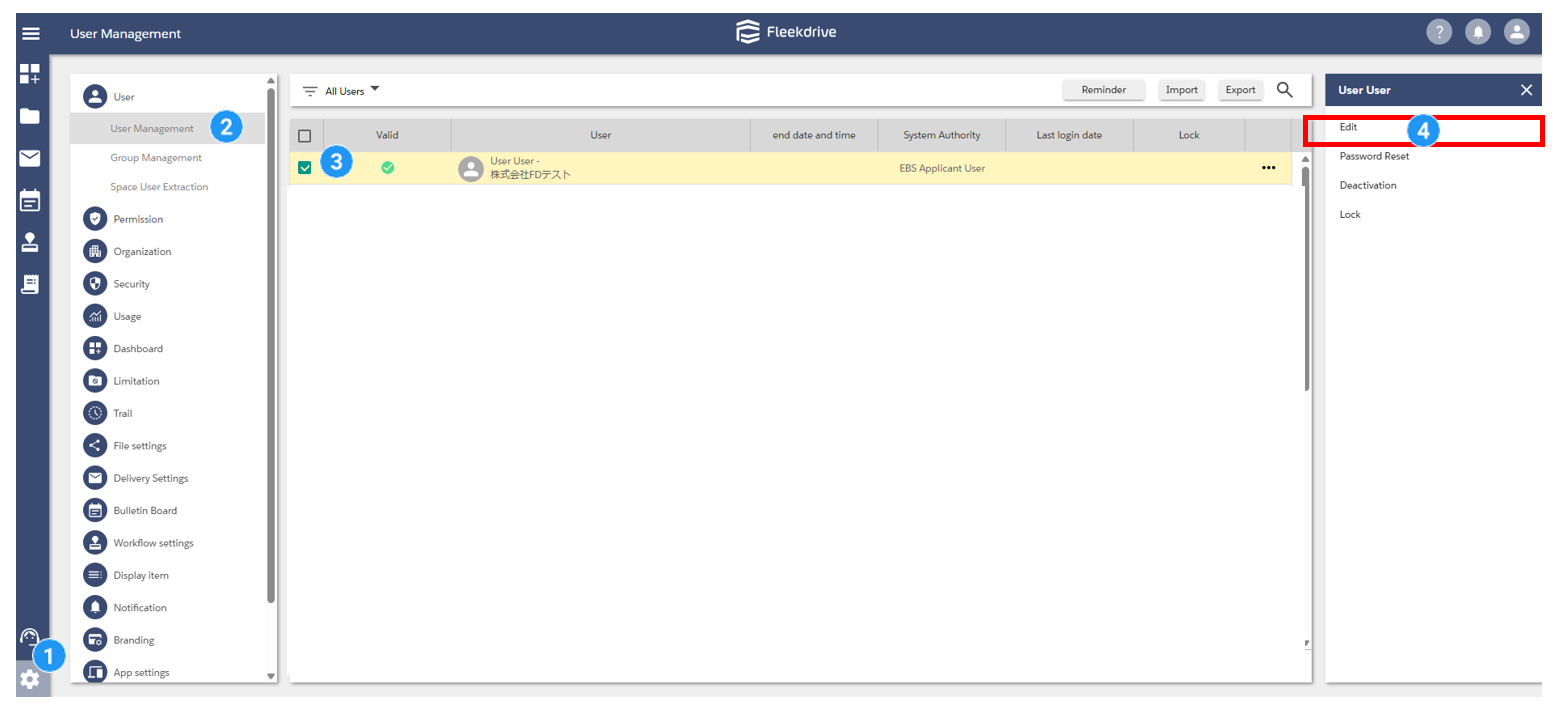
Go to Settings > User > User Management, and open the Edit for the user who needs to receive emails from Support.
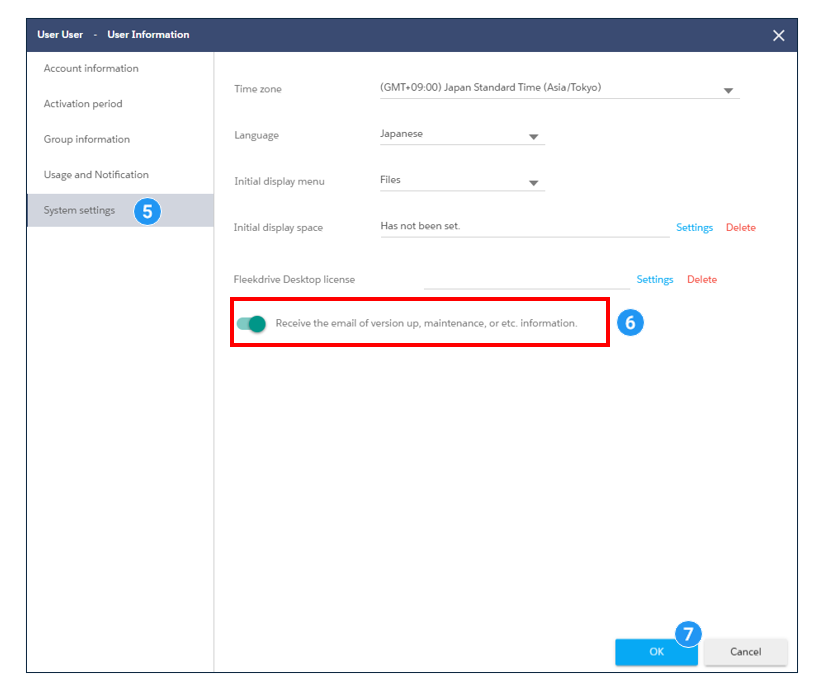
In System Settings, set the Receive the email of version up maintenance or etc. information, and click OK to save.
Users who are not system administrators can also optionally opt in to receive emails from Support.
This applies to the following users:
-Users who are assigned one of Fleekdrive’s default system permissions: System Administrator, Standard User, or Partner User.
-Users whose assigned system permission has Maintenance Announcement Emails toggled to ON under My Details > System Settings.
[Setup Instructions]
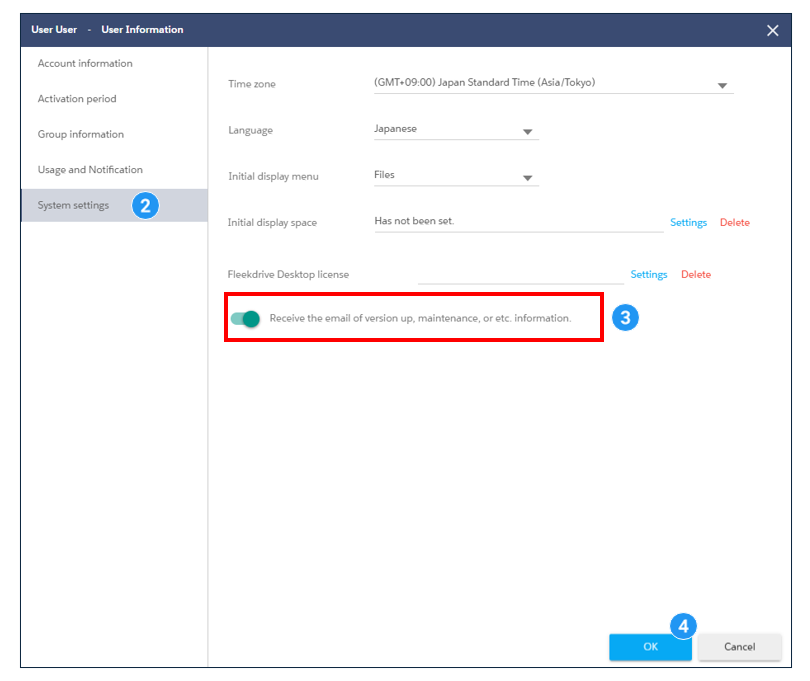
1:Click the My information icon in the upper right corner of the screen.
2:Click System Settings.
3:Toggle Receive emails for version updates and maintenance announcements to ON.
4:Click OK to save.

Last Updated : 09 Sep 2026